
How I built Portfolio Assistant
A 10.25-day experiment in using AI to build a portfolio that talks back.
At a glance
Tools used
AI
- Claude
- Claude Code
Build
- Next.js
- Tailwind
- VS Code
- Terminal
Ship
- GitHub
- Vercel
Design
- Figma
- pencil & pad
The process
Concept
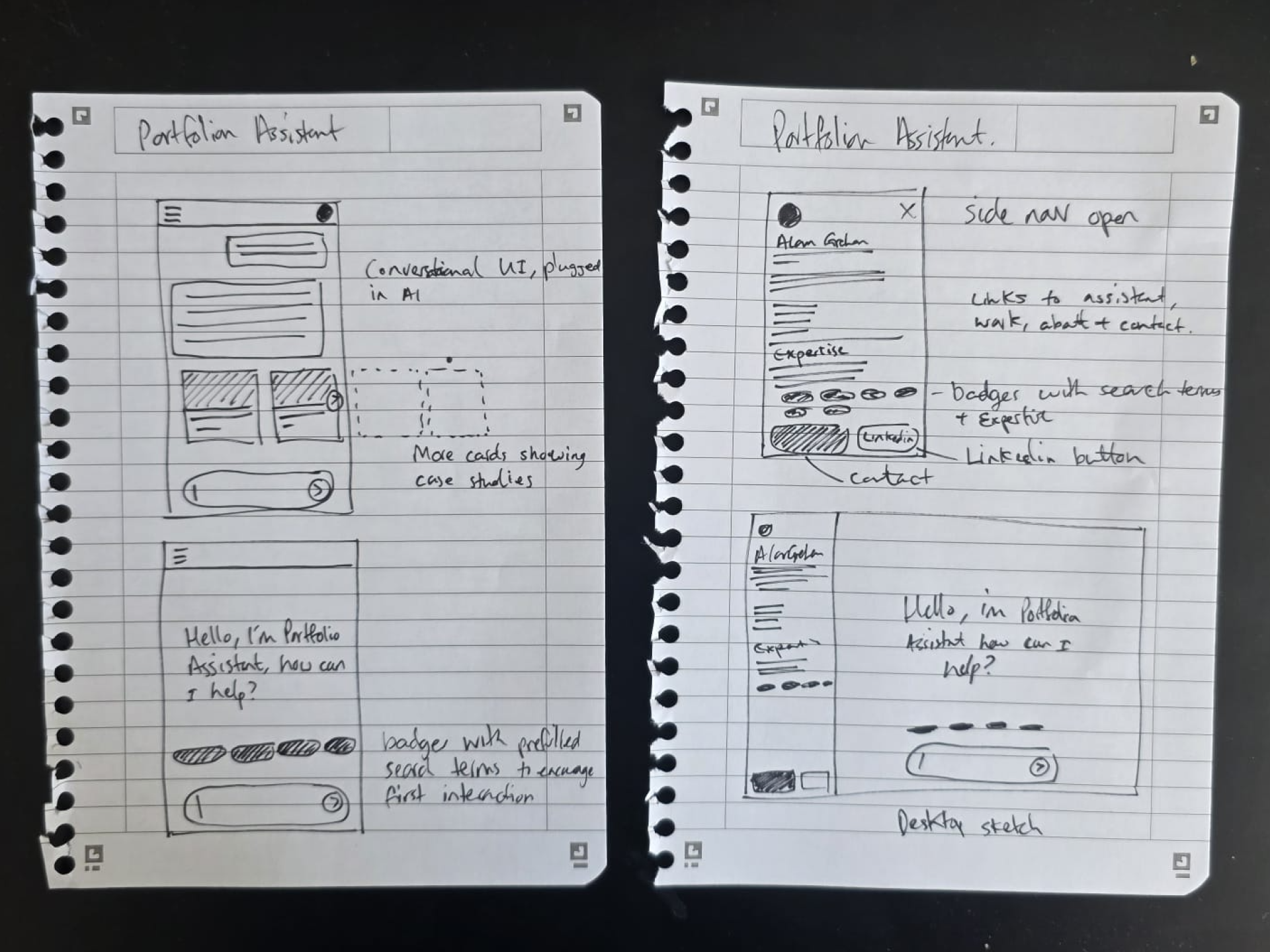
I needed a concept for a new portfolio that would show my experience and work over the last 10+ years but also show the innovative techniques I'm now using.
Design & tech has changed, and so has my skillset. One thing that's stuck with me is sketching, sometimes I still love to pencil down my ideas and here's the original doodle on my kitchen top for the concept of "Portfolio Assistant", which is essentially triangulation between AI, a front-end app and content (the story of my career).
Wireframing and scamps with Claude & Figma
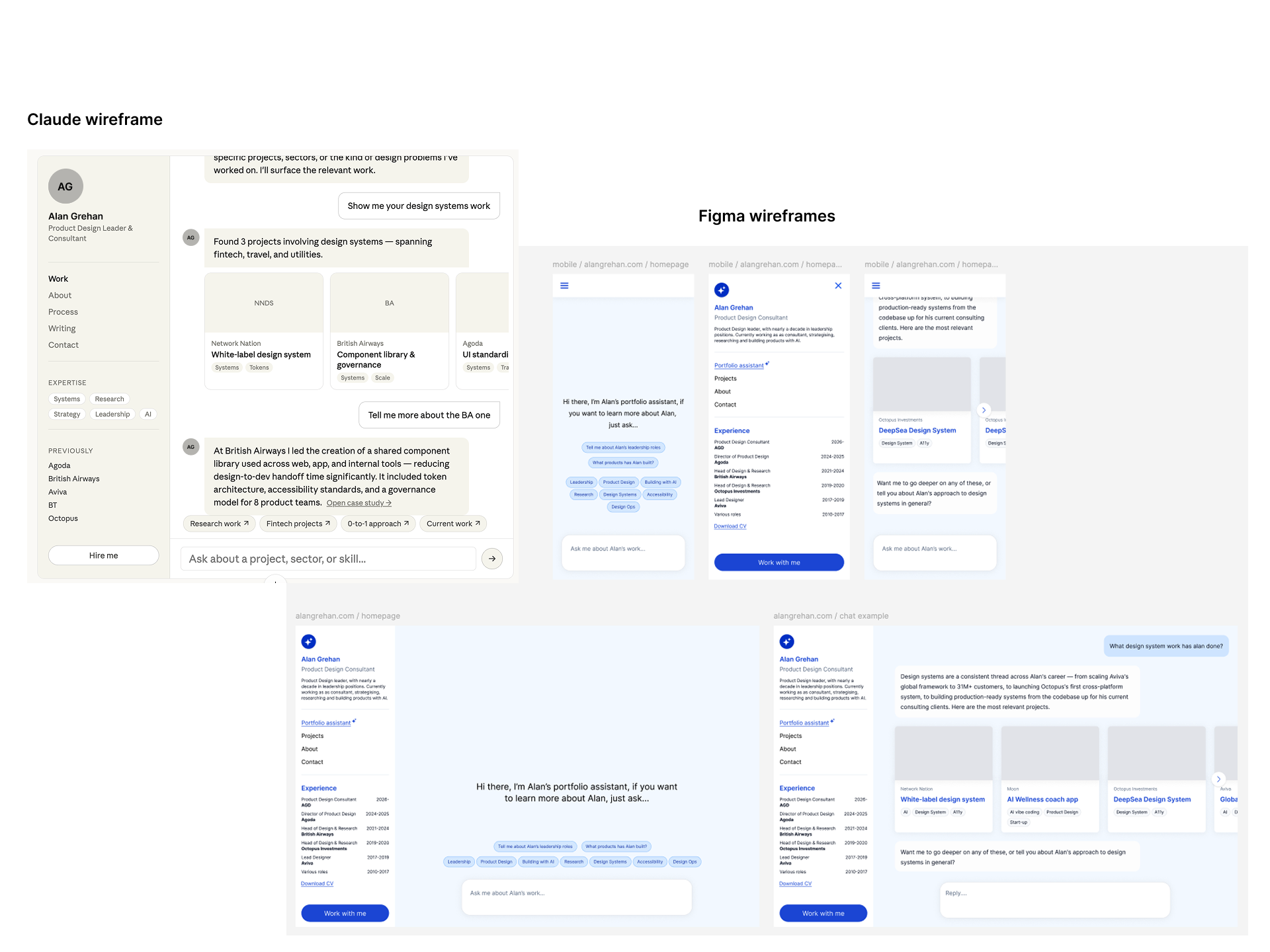
I tend to still think UX first, UI later in my workflow, however the exploration of UX and the output of wireframes has changed. For Portfolio Assistant I sketched the concept on paper, and then used that to define the Information Architecture, which I'd then take to Claude to shape an initial wireframe, referencing my sketch and IA as well as standards of Conversational UI from Claude itself, Gemini and ChatGPT.
This is Claude's wireframe, which I then used to craft my first wires myself in Figma.
Building the FE, connecting MCP server to Figma
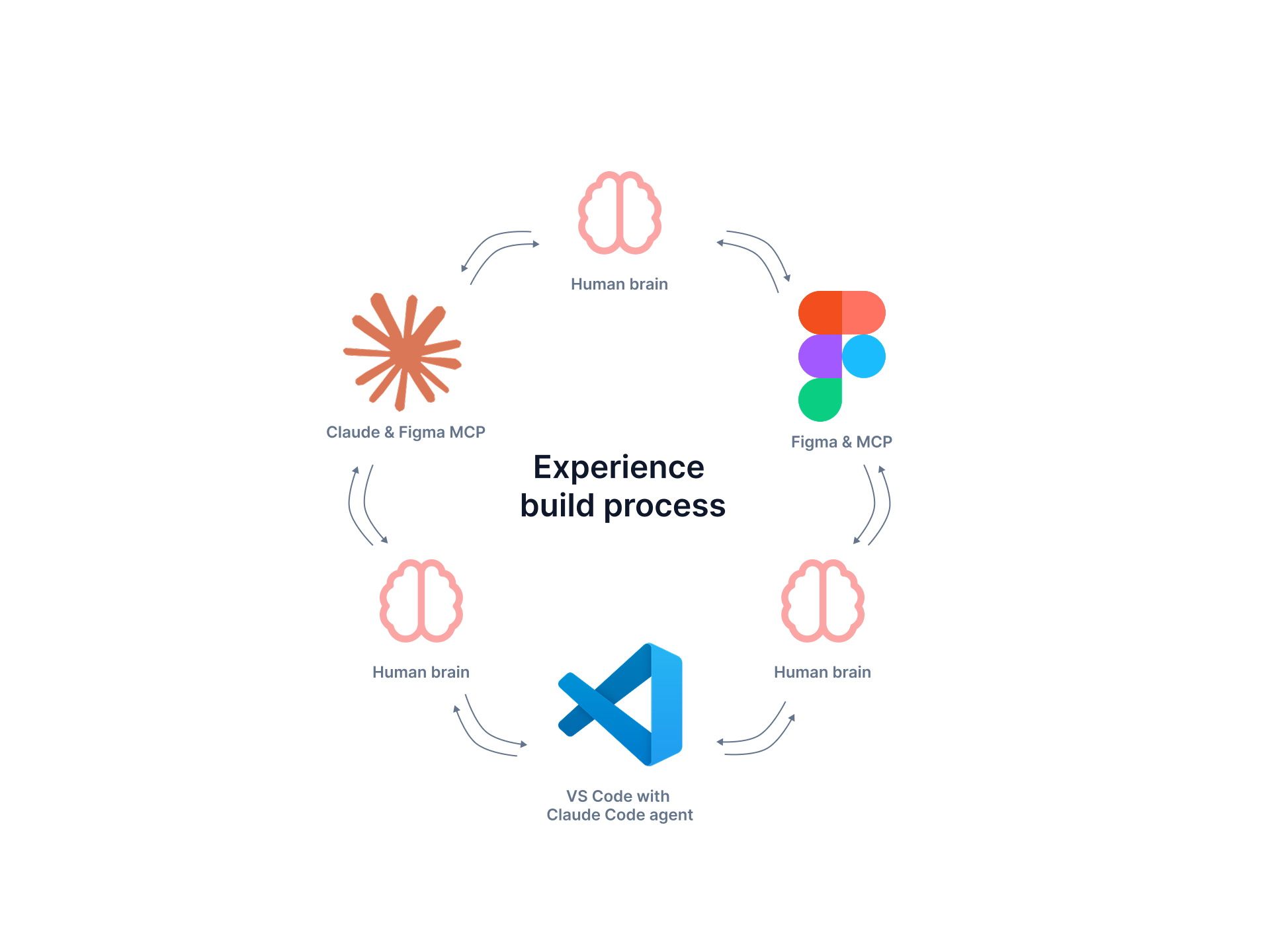
I designed the core desktop and mobile screens in Figma, using a design system I'd built to match the Tailwind and Next.js foundation I'd use in code.
I then connected Claude Code to my Figma file using an MCP server. This allows Claude to reference my Figma frames and the design system I used to build the designs, and would continue to use in code.
I then connected Claude Code to VS Code (my coding platform of choice) and triangulated the process between the three platforms to construct a basic front-end of Portfolio Assistant.
Creating the logic and parameters for AI
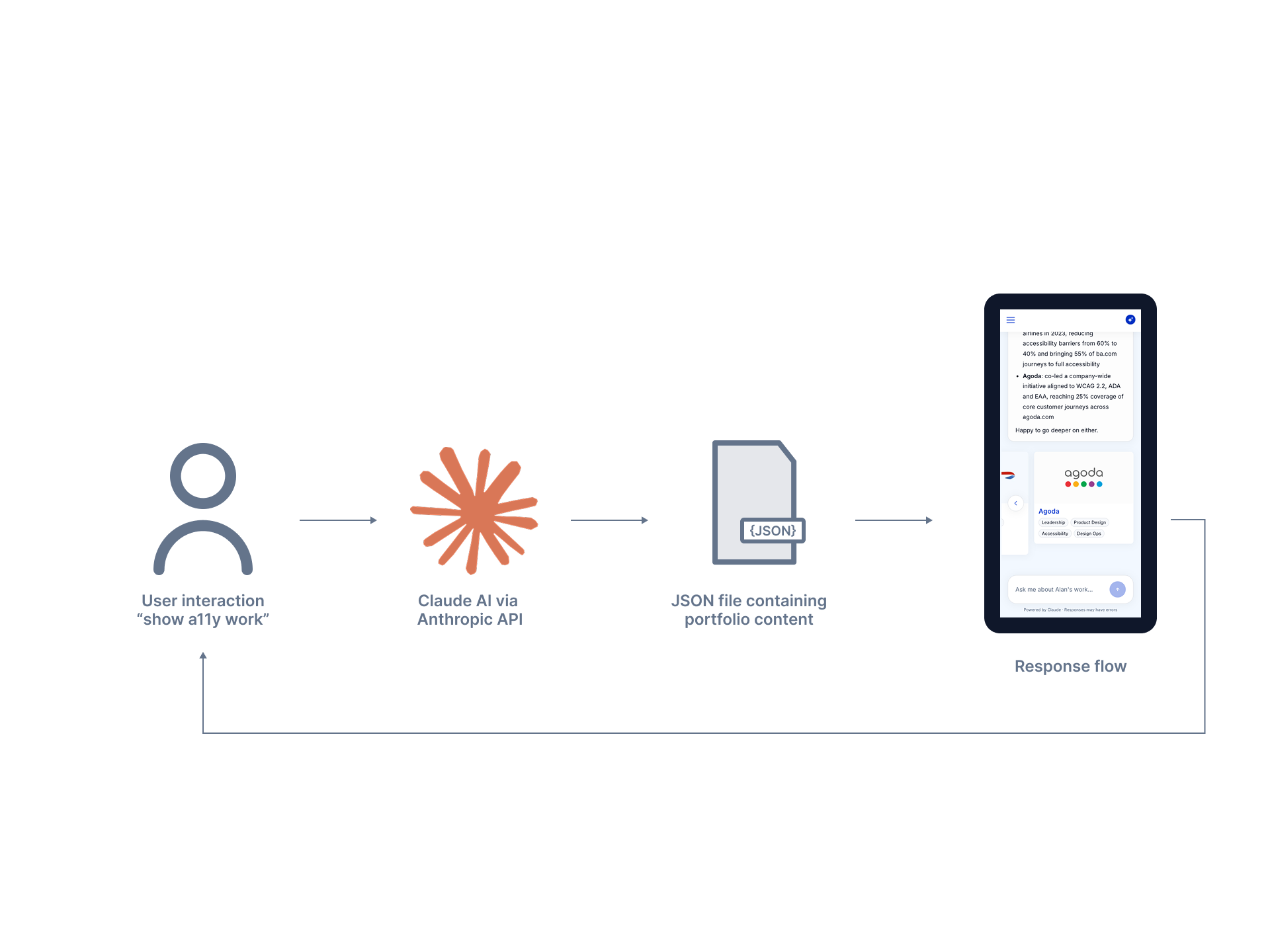
Portfolio Assistant needed to do one thing well: talk about my work, accurately, without making anything up. That constraint drove the whole design of the AI logic.
The setup is simple — Claude Code calls the Anthropic API, and the content of my career lives in a single JSON file. When a user asks a question, the model reads the relevant parts of the JSON, writes a text response, and decides whether to surface "project cards" for deeper context.
The real work was in the guardrails. I wrote a system prompt that tells Claude to only reference facts from the JSON, to keep project answers scoped tightly, and to redirect off-topic questions back to my work. When early testing showed users asking about me personally — hobbies, leadership style — and getting nothing, I expanded the About content and updated the prompt so Claude could answer those too, without the scope drifting.
Connecting to GitHub & Vercel
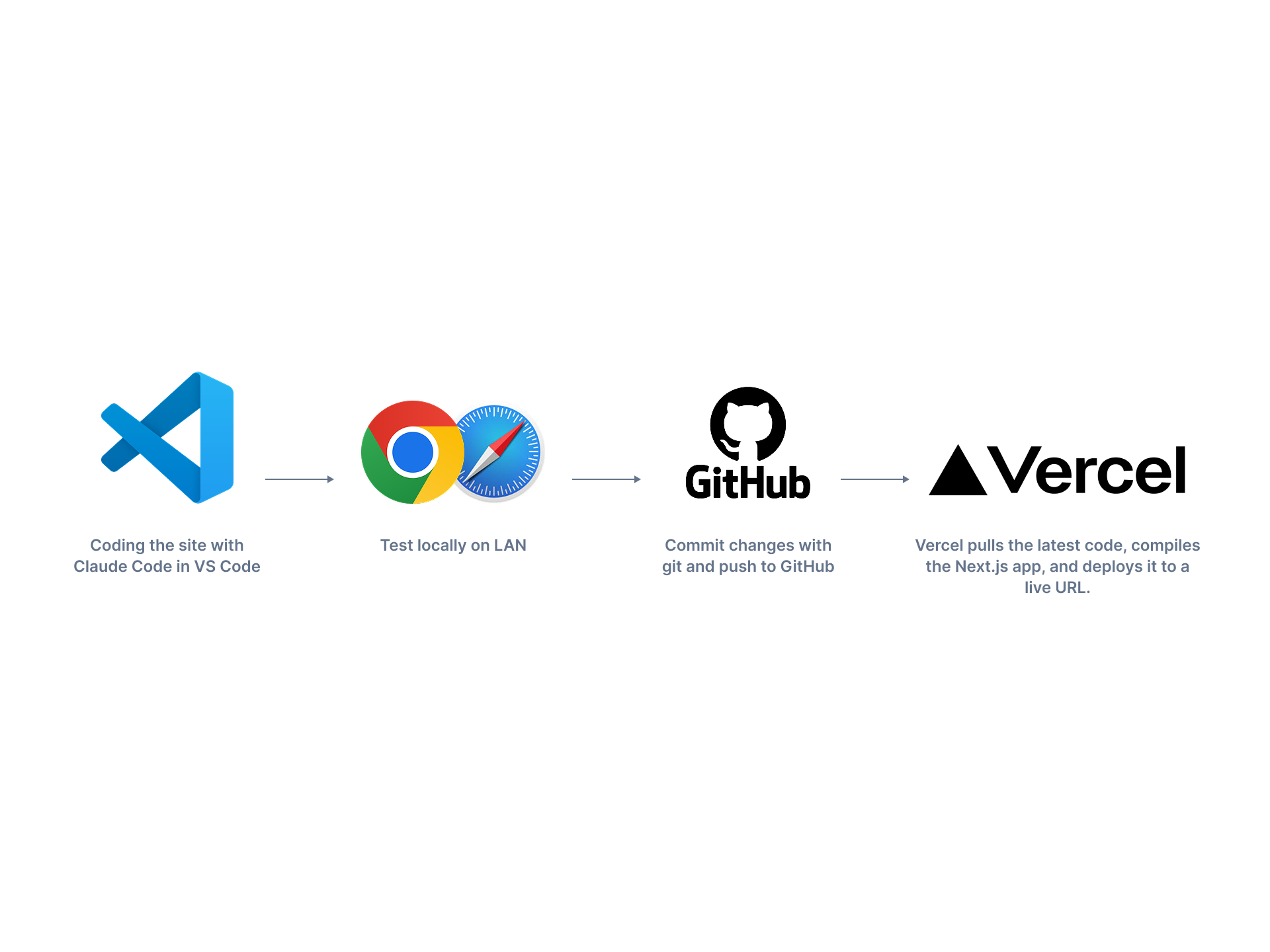
VS Code is where the code lives. Claude Code runs inside VS Code's terminal as a coding agent, reading and editing files based on prompts I paste in. I commit changes with git and push to GitHub. Vercel is hooked up to the GitHub repo, so every push to the main branch triggers an automatic build — Vercel pulls the latest code, compiles the Next.js app, and deploys it to a live URL.
The whole loop — prompt → edit → test locally → push → live — takes a few minutes.
User testing and debugging
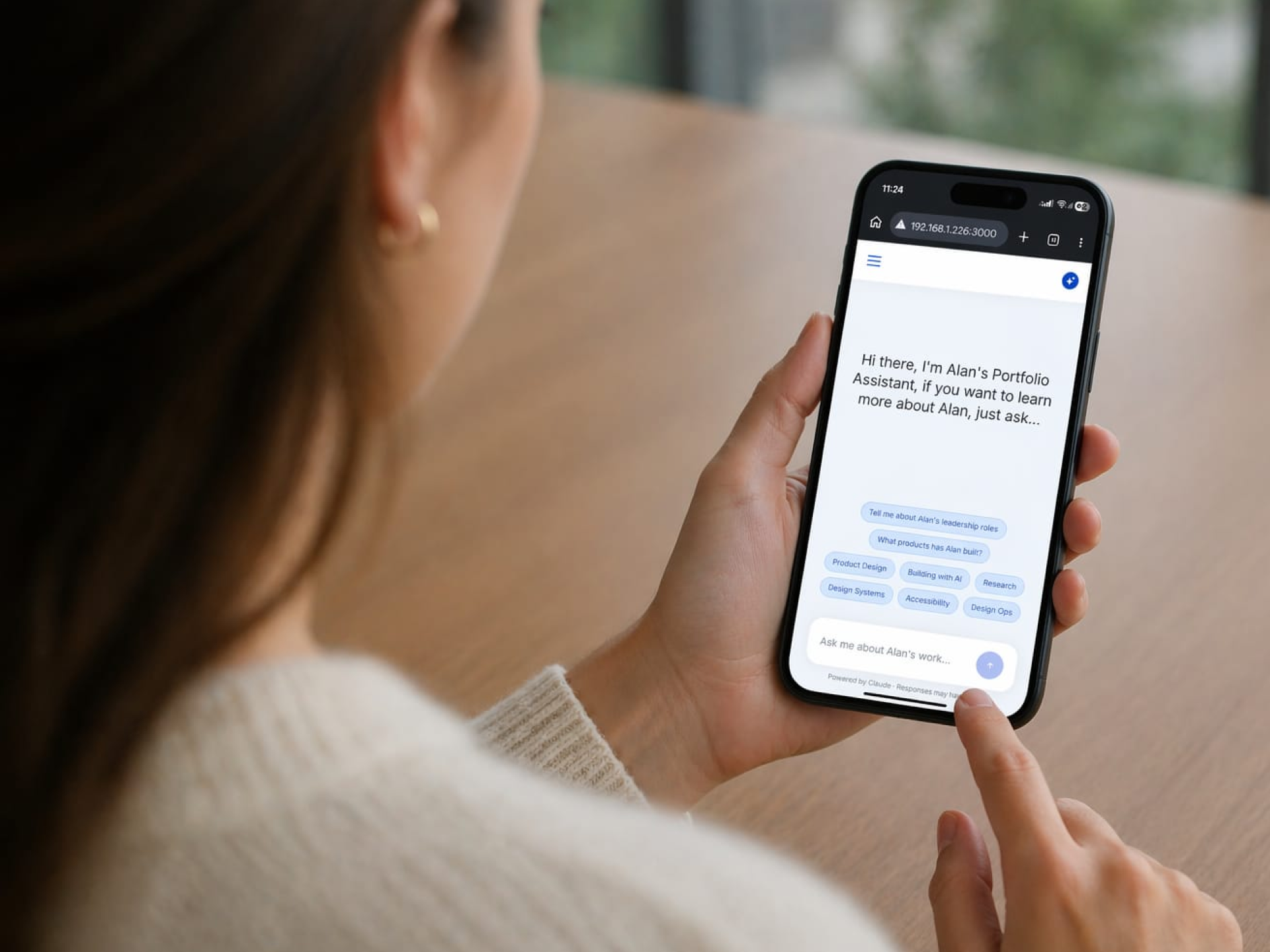
I debugged issues throughout the entire process — sometimes from Claude getting confused by a poorly written prompt, sometimes from things just not quite working.
I ran short user testing sessions for feedback, asking people to talk to Portfolio Assistant and click around the site. One concrete finding: testers noticed the guardrails were too tight. When they asked about me, my hobbies, or my leadership style, nothing surfaced. I fixed it by expanding the About content, adding it to the JSON, and asking Claude to also reference it when users asked personal questions — not just project ones.
What I learned
What worked
Concept to Design to Dev process was dramatically more efficient. Without AI, this would have taken more than one person, weeks of work.
What surprised me
MCP with Claude works both ways. Once Claude understood my DS, it could create wireframes from my prompts. This speed up UX time.
What I'd change
Getting more of the upfront thinking done will save time and money. The majority of the cost of Claude came from fixing things I should have defined better up front.
Where the 10.25 days went
A breakdown of the full build, day by day.
Interested in working together?
I'm open to advisory and hands-on product design work with early-stage teams.
Get in touch